How to Check Active SIMs Registered Against Your CNIC
In Pakistan, mobile phone connections are directly linked to a person’s CNIC (Computerized National Identity Card). From banking alerts to online verifications, SIM cards play a crucial role in daily life. That’s why it is extremely important to regularly check active SIMs registered against your CNIC to avoid misuse, fraud, or legal trouble.
If you’re wondering how to check SIMs registered on CNIC, or how many SIMs are active on my CNIC, this guide explains everything clearly and legally.
Why It’s Important to Check Active SIMs on Your CNIC
Many people are unaware that old, unused, or even unauthorized SIMs may still be registered in their name. These SIM cards can be misused for illegal activities, leading to serious consequences.
Regular SIM verification helps with:
- Fraud prevention
- Protection from identity theft
- Avoiding legal responsibility
- Strengthening digital identity security
Checking your registered SIMs ensures that all mobile connections linked to your CNIC are genuinely yours.
PTA Rules for SIM Registration in Pakistan
The Pakistan Telecommunication Authority (PTA) regulates all telecom services in the country. To maintain security, PTA introduced the SIM Information System, which allows citizens to verify SIM cards issued against their CNIC.
According to PTA:
- Every SIM must be linked to a valid CNIC
- Biometric verification is mandatory for SIM activation
- SIM ownership cannot be anonymous
Maximum SIMs Allowed on One CNIC
Under PTA regulations, there is a strict SIM registration limit:
👉 A maximum of 5 SIM cards can be registered on one CNIC
If you already have five registered SIMs and want a new one, you must first apply for SIM blocking or SIM deactivation of an unused number.
Method 1: Check Active SIMs Registered Against Your CNIC Online
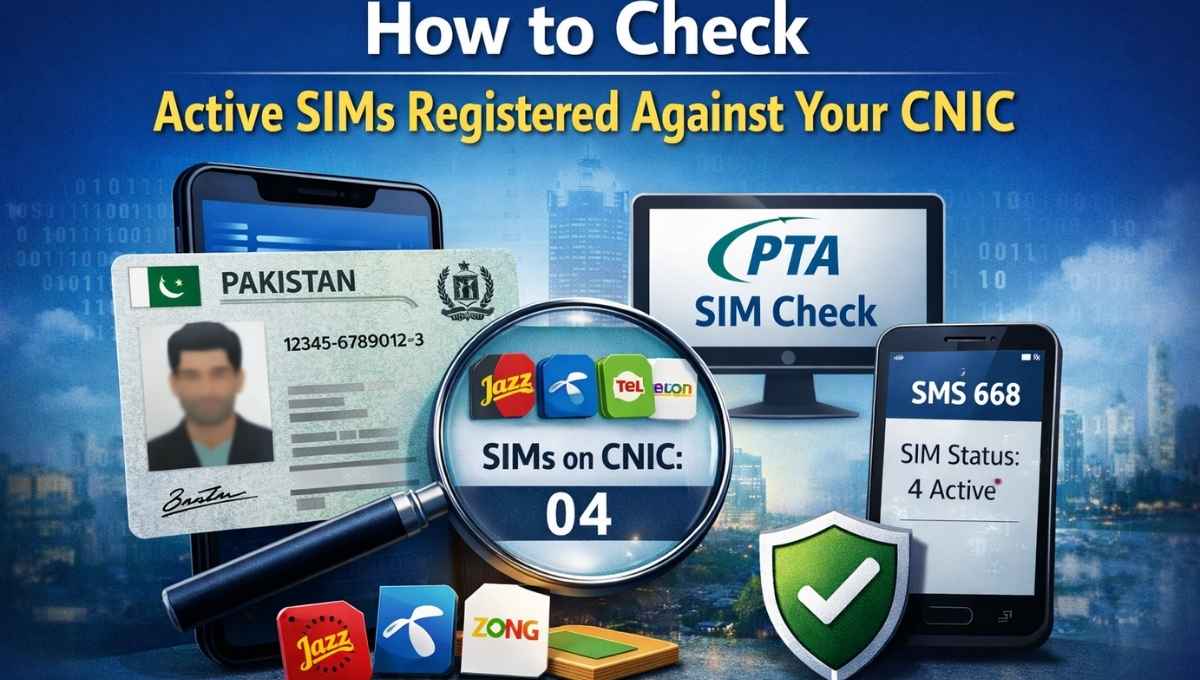
The easiest way to check active SIMs in Pakistan is through the official PTA SIM Information System.
Steps for SIM Verification Online:
- Visit the PTA SIM Information System website
- Enter your 13-digit CNIC number (without dashes)
- Complete the captcha verification
- Submit the form
You will see a list of registered SIMs, displayed operator-wise across telecom operators in Pakistan, including:
- Jazz
- Telenor
- Zong
- Ufone
This method is free and provides real-time SIM verification results.
Method 2: Check SIM Information Without Internet (SMS Method)
If you do not have internet access, PTA also provides an SMS-based option.
How to Check SIM via SMS 668:
- Open your messaging app
- Type your CNIC number (without hyphens)
- Send it to SMS 668
You will receive a reply showing the number of active SIMs registered with each network.
📌 Note: This service costs PKR 2 + tax per SMS.
How to Understand Your SIM Verification Results
After verification, the system shows:
- Total SIM cards issued against CNIC
- Network operator names
- SIM status (active, blocked, or inactive)
This helps you immediately identify unknown or unauthorized SIMs.
What to Do If an Unknown SIM Is Registered
If you find a SIM you do not recognize:
- Contact your mobile operator’s customer service
- Visit the nearest franchise with your original CNIC
- Request SIM blocking for the unauthorized number
You may also contact the PTA helpline at 0800-55055 for guidance.
PTA Biometric Verification System (BVS) Explained
The BVS system ensures that SIM ownership is verified using biometric data. Biometric verification is required when:
- Buying or activating a new SIM
- Transferring SIM ownership
- Re-verifying an existing SIM
So, if you’re asking do I need biometric verification for SIM, the answer is yes for all major SIM-related actions.
SIM Cloning and How to Stay Protected
SIM cloning occurs when a SIM card is duplicated and misused without the owner’s consent. This can lead to:
- Unauthorized calls or messages
- Financial fraud
- Criminal misuse
To avoid SIM misuse and fraud:
- Regularly check SIMs registered on your CNIC
- Immediately report suspicious activity
- Block unused SIMs
Can You Check Someone Else’s SIM Details?
No. According to privacy laws in Pakistan, SIM verification is only allowed for your own CNIC. Checking someone else’s SIM information is illegal and violates data protection regulations.
How Often Should You Check SIMs on Your CNIC?
For maximum security, it is recommended to:
- Check SIM information once every month
- Immediately verify after losing a phone or CNIC
- Recheck before registering a new SIM
PTA SIM data updates in real time, although minor delays of up to 24 hours may occur in rare cases.
Final Thoughts
Knowing how to check SIM details legally is essential in today’s digital world. Regularly verifying active SIMs registered against your CNIC protects you from fraud, misuse, and legal issues. By following PTA guidelines and using the official SIM Information System, you stay in control of your digital identity.
Staying informed today can save you from serious problems tomorrow
Frequently Asked Questions (FAQs)
❓ SIM owner details online check by CNIC Pakistan — is it possible?
No. In Pakistan, you cannot check SIM owner details online using a CNIC due to privacy and data protection laws. PTA only allows users to view how many SIMs are registered on their own CNIC, not personal details of SIM owners.
❓ Free SIM owner details online check — is it available?
No. There is no legal or free method to check SIM owner name or personal details online in Pakistan. Any website claiming to offer free SIM owner details is not authorized and should be avoided.
❓ Can I find a phone number by CNIC in Pakistan?
No. PTA does not allow the public to find phone numbers using a CNIC. However, you can check the number of SIM cards issued against your own CNIC through the official SIM Information System.
❓ How can I verify SIM ownership legally in Pakistan?
You can verify SIM ownership only for your own SIMs by:
- Using the PTA SIM Information System online
- Sending your CNIC number to SMS 668
For ownership disputes, you must visit the mobile operator’s franchise with biometric verification.
❓ Is checking SIMs registered on CNIC free?
Yes, checking SIMs online via the PTA SIM Information System is completely free. The SMS method (668) charges PKR 2 + tax per message.
❓ What should I do if I find an unauthorized SIM on my CNIC?
Immediately:
- Visit your mobile operator’s customer service center
- Request SIM blocking or SIM deactivation
- Carry your original CNIC for biometric verification
You can also contact the PTA helpline (0800-55055) for support.
❓ How many SIM cards are allowed on one CNIC?
According to PTA regulations, a maximum of five SIM cards can be registered on one CNIC at any given time.
❓ Can I check SIM information without internet access?
Yes. You can check SIM information without internet by sending your CNIC number (without dashes) to SMS 668.
❓ How often should I check SIMs registered on my CNIC?
For better security and fraud prevention, it is recommended to check your SIM records once every month or immediately if you lose your phone or CNIC.
❓ Does PTA SIM information update in real time?
Yes. PTA’s SIM database updates in real time, though in rare cases network synchronization may take up to 24 hours.
❓ Can someone misuse my identity through SIM cloning?
Yes. SIM cloning can be used for fraud and illegal activities. Regular SIM verification and blocking unused SIMs helps protect your digital identity security.
❓ Is biometric verification required for all SIM-related actions?
Yes. Biometric verification (BVS system) is mandatory for:
- Buying a new SIM
- Re-verifying an existing SIM
- Transferring SIM ownership