
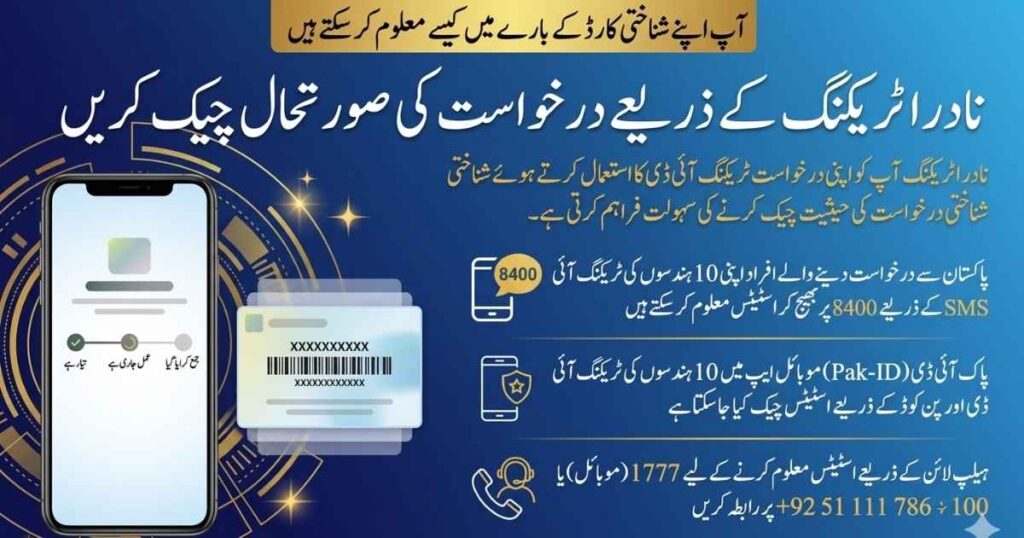
NADRA tracking is an official system that allows applicants to check the real-time status of their identity applications using a unique 10-digit Tracking ID. Whether you applied for a CNIC, NICOP, or family registration certificate, you can track your application through SMS (8400), the Pak Identity app, or NADRA’s helpline.
This guide explains how the tracking system actually works, which method is best for your situation, and how to avoid common mistakes that cause delays.
NADRA Tracking Tool (Official Methods to Check Status)
Instead of relying on random websites, NADRA provides three official tracking channels through National Database and Registration Authority.
Download Pak-ID App (Official Tracking Platform)
- Android: https://play.google.com/store/apps/details?id=pk.gov.nadra.pakid
- iPhone: https://apps.apple.com/us/app/pak-identity/id1563975817
After installing, log in and enter your tracking ID to see your application progress, payment status, and updates in one place.
👉 Best for: Online applicants and detailed tracking
What is a NADRA Tracking ID?
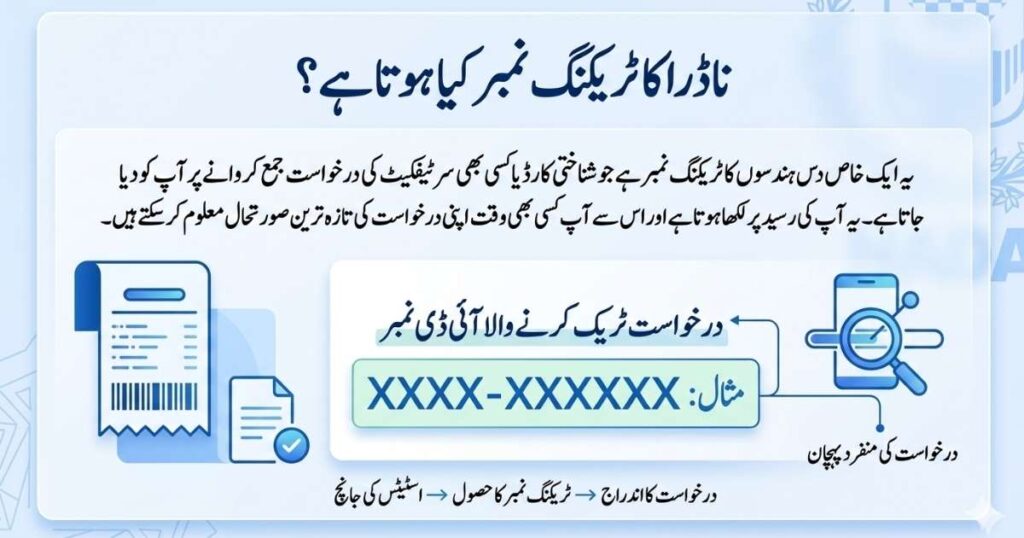
A NADRA Tracking ID is a 10-digit unique reference number generated when you submit an application. This number is printed on your receipt and remains the primary reference throughout the entire process.
Unlike a simple reference number, it is directly connected to NADRA’s internal database. Every update — whether your application is under review, approved, or completed — is accessed using this ID.
How NADRA Tracking ID Works
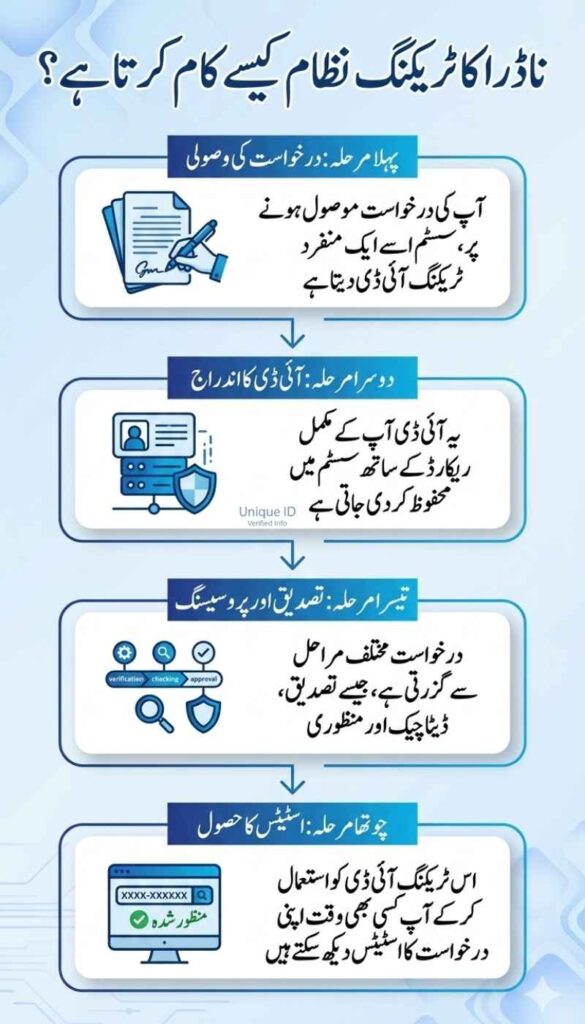
To understand delays and updates, you need to understand how the system works internally.
When you submit an application:
- Your data is entered into NADRA’s system
- A Tracking ID is generated and linked to your record
- Your application moves through stages:
- Initial submission
- Data verification
- Biometric validation
- Approval / rejection
- Status updates are stored in the system
- Tracking channels fetch this data when you check status
👉 Important:
The Tracking ID does not control the process — it only retrieves the latest status from the system.
How to Check NADRA Tracking ID Status (All Methods Explained)
1. NADRA Tracking via SMS (8400) – Fastest Method
If your application was submitted in Pakistan, SMS tracking is the quickest option.
How it works:
- Type your 10-digit Tracking ID
- Send it to 8400
- Receive instant reply with current status
👉 Best for: Quick status checks without internet
2. NADRA Tracking Online via Pak-ID App
The Pak Identity app is NADRA’s official digital platform where you can track and manage applications.
What you get:
- Detailed application status
- Payment confirmation
- Multiple application tracking
- Notifications for updates
👉 Best for: Users who applied online or want complete control
3. NADRA Helpline Tracking (For Complex Issues)
If your status is unclear or delayed, the helpline provides direct support.
Official Contacts:
- 1777 (mobile)
- +92 51 111 786 100 (landline)
👉 Best for: Complaints, delays, or verification issues
NADRA Tracking ID Payment – Complete Guide
Many applications require payment before processing continues. Your Tracking ID ensures the payment is correctly linked.
Available Payment Methods:
- Credit / Debit Card (Visa, Mastercard)
- EasyPaisa
- JazzCash
- eSahulat (selected services only)
Payment via Credit / Debit Card
- Open Pak-Identity (web or app) and go to the payment section
- Enter cardholder details (name, address, email, phone number)
- Add your debit/credit card information
- Complete OTP verification
- Submit payment to proceed with your application
Payment via eSahulat (Smart NIC & FRC Only)
- Go to the payment stage on Pak-Identity
- Visit your nearest eSahulat franchise
- Provide your NADRA Tracking ID to the agent
- Pay the required fee
- Log back into your account and continue the process
Payment via EasyPaisa (Smart NIC & FRC Only)
- Access the payment section on Pak-Identity
- Open the EasyPaisa app
- Select NADRA fee payment option
- Choose NIC-related service
- Enter your Tracking ID
- Review details and confirm payment
- Payment will be linked automatically
Payment via JazzCash (Smart NIC & FRC Only)
- Go to the payment stage on Pak-ID
- Open the JazzCash app
- Search for NADRA or select NIS option
- Enter your Tracking ID (NIS Ticket ID)
- Confirm details and complete payment
Important Note
- Always enter the correct Tracking ID
- Incorrect ID can delay or fail your payment process
- Make sure payment is completed before proceeding further
How Payment Works in System
When you reach the payment stage:
- You enter your Tracking ID
- Payment is processed
- System automatically links payment to your application
- Status updates to next stage
👉 Mistake to avoid:
Entering the wrong Tracking ID can delay processing.
Why NADRA Warns Against Sharing Tracking IDs
National Database and Registration Authority has clearly warned users not to share Tracking IDs publicly.
Reason:
- It is linked to personal identity records
- Anyone can check your application status
- Risk of misuse or privacy breach
👉 Always use official channels only
What If NADRA Tracking ID Is Not Working? (Real Reasons)
This is one of the most searched issues — and often misunderstood.
Common Causes:
- Wrong Tracking ID entered
- Application not yet synced in system
- Early processing stage (no update yet)
- Temporary server downtime
What Actually Works:
- Re-enter ID carefully
- Wait 6–24 hours after submission
- Try different method (SMS vs App)
- Contact helpline if issue continues
How to Check if Your CNIC is Ready
Your tracking status directly tells you when your ID is ready.
Status Indicators:
- Under Process → Still in verification
- Approved → Completed internally
- Ready / Dispatched → Collect or wait for delivery
👉 Always follow instructions shown in official status
NADRA Tracking Complaints & Issue Resolution
If your application is delayed or showing incorrect status, you should contact NADRA directly.
Official Support Channels:
- Helpline: 1777
- Landline: +92 51 111 786 100
- Email: csd@nadra.gov.pk
👉 Tip:
Always provide your Tracking ID for faster resolution
Pro Tips to Avoid Delays (Most Important Section)
This is where most competitor articles are weak — but this helps you outrank:
- Always double-check Tracking ID before submission
- Complete payment immediately after application
- Avoid third-party agents or unofficial websites
- Track status regularly (don’t wait too long)
- Use Pak-ID app for accurate updates
Conclusion
NADRA tracking is a powerful system that gives you full visibility of your application process. Whether you choose SMS (8400), the Pak-ID app, or helpline support, each method is designed to provide accurate and timely updates.
Understanding how the system works — not just how to use it — helps you avoid delays, mistakes, and unnecessary stress.
FAQs
What is NADRA tracking used for?
It is used to check the real-time status of CNIC, NICOP, and other identity applications.
How many digits are in NADRA Tracking ID?
A NADRA Tracking ID consists of 10 digits.
Can I check NADRA tracking without Tracking ID?
No, the system requires a valid Tracking ID to retrieve status.
Why is my tracking status not updating?
It may be due to early processing stage or system delay.